Format: FLAC | 924 Kbps
Album: Live At The Roxy
Artist: Cruzados
Genre: Rock
Date/Year: 2009

DISMTools 0.9.261122 Pre-release | Size: 92.71 MB
Language: English
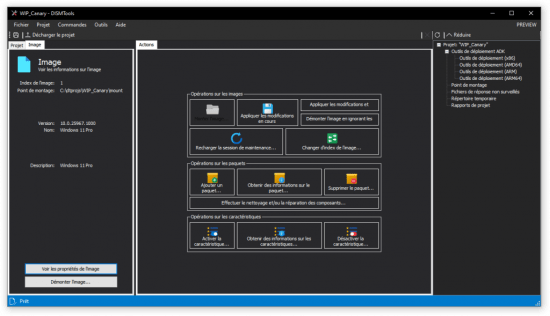
DISMTools is a front-end for DISM that lets you manage your Windows Imaging (WIM) files and a whole lot more.
Key features
DISMTools is the first project-based GUI. Projects store the mounted image and unattended answer files you want to apply (using the command line at this time), while also providing a scratch directory for temporary operations
DISMTools is also smart, checking first if an action can be performed before doing it
Supported actions
The following actions are supported by DISMTools
This program is in beta stages, so not every possible action is implemented. Check the "Unsupported actions" section for more details
Image management
WIM/SWM/ESD file application
Image capture
Image commits
Volume image removal (removal of unnecessary Windows editions)
Image mounting and unmounting
(more…)
ExplorerPatcher 26100.9711.71.2 Pre-release | Size: 11.77 MB
Language: English
Restore the functionality of Windows 10 on Windows 11, including most menus and taskbar, using this simple and straightforward patcher.
Without trying to undermine the many great features of Windows 11, working with it sometimes just doesn’t feel right. Blame it on the course of habit, but the Taskbar and menus seem counterintuitive at times and you may feel that you need to take extra steps just to do an action you could do with a click of a button in previous Windows versions.
Explorer Patcher for Windows 11 is not exactly an application, but rather a DLL file that aims to restore the classic functionality of the new operating system. The patcher has been tested for the latest stable version of Windows 11, but it may work on other builds as well.
Place it in the C:\Windows folder to enable the old functionality
As the name suggests, this is not an application, but rather a patcher that you need to place in the main Windows 11 folder. According to the developer, the role of the DLL file is to enable extra functionality in the new operating system including, but not limited to the classic taskbar of Windows 10, option to hide the search bar, showing the ‘All apps’ list, restoring the classic power user menu, so on and so forth.
To complete the setup, you need to make sure that your Internet connection is active and restart the Explorer. At this point, the OS will start grabbing additional files from Microsoft and once the download is complete, restart the Explorer again for the changes to apply.
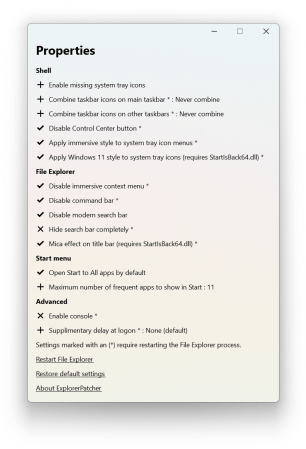
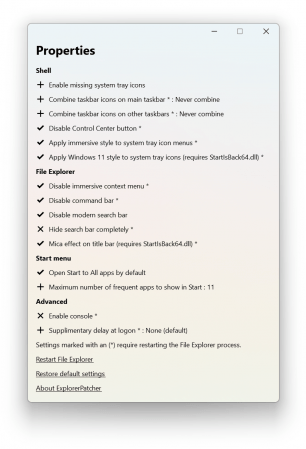
It comes with a configuration interface that is worth exploring
(more…)
Basic Math & PrAlgebra Workbook For Dummies with Online Practice 4th Edition | 11.84 MB
Title: Basic Math & PrAlgebra Workbook For Dummies with Online Practice 4th Edition
Author: Mark Zegarelli
Category: Mathematics, Algebra, Arithmetic, Counting & Numeration
Language: English | 464 Pages | ISBN: 9781119357520
DISMTools 0.8.2.260913 Pre-release | Size: 81.84 MB
Language: English
DISMTools is a front-end for DISM that lets you manage your Windows Imaging (WIM) files and a whole lot more.
Key features
DISMTools is the first project-based GUI. Projects store the mounted image and unattended answer files you want to apply (using the command line at this time), while also providing a scratch directory for temporary operations
DISMTools is also smart, checking first if an action can be performed before doing it
(more…)

ExplorerPatcher 26100.8457.70.4 Pre-release | Size: 11.76 MB
Language: English
Restore the functionality of Windows 10 on Windows 11, including most menus and taskbar, using this simple and straightforward patcher.
(more…)
Liberalism in Prrevolutionary Russia State, Nation, Empire | 24.07 MB
Title: Liberalism in Prrevolutionary Russia State, Nation, Empire
Author: Susanna Rabow-Edling
Category: Nonfiction, History, Revolutionary, Asian, Russia
Language: English | 147 Pages | ISBN: 0367587637
ExplorerPatcher 26100.8457.70.3 Pre-release | Size: 11.67 MB
Language: English
Restore the functionality of Windows 10 on Windows 11, including most menus and taskbar, using this simple and straightforward patcher.
Without trying to undermine the many great features of Windows 11, working with it sometimes just doesn’t feel right. Blame it on the course of habit, but the Taskbar and menus seem counterintuitive at times and you may feel that you need to take extra steps just to do an action you could do with a click of a button in previous Windows versions.
Explorer Patcher for Windows 11 is not exactly an application, but rather a DLL file that aims to restore the classic functionality of the new operating system. The patcher has been tested for the latest stable version of Windows 11, but it may work on other builds as well.
Place it in the C:\Windows folder to enable the old functionality
(more…)
DISMTools 0.8.260621 Pre-release | Size: 75.72 MB
Language: English
DISMTools is a front-end for DISM that lets you manage your Windows Imaging (WIM) files and a whole lot more.
Key features
DISMTools is the first project-based GUI. Projects store the mounted image and unattended answer files you want to apply (using the command line at this time), while also providing a scratch directory for temporary operations
DISMTools is also smart, checking first if an action can be performed before doing it
Supported actions
The following actions are supported by DISMTools
This program is in beta stages, so not every possible action is implemented. Check the "Unsupported actions" section for more details
Image management
(more…)