Tag: Disk

GiliSoft Private Disk 11.8

GiliSoft Private Disk 11.8 | Size: 15.26 MB
Language: English

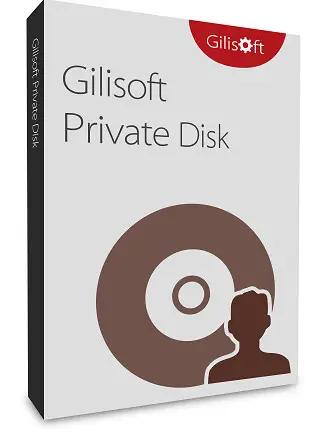
GiliSoft Private Disk protects information with the strongest encryption algorithm known today – AES 256-bit. Besides offering state-of-the-art, trustworthy and reliable AES 256-bit NIST certified encryption, GiliSoft Private Disk provides additional protection for your confidential information by employing its innovative Disk Image Hide method. The Disk Image Hide protects your data by application, ensuring that no viruses, trojans, spyware or any other malware will harm or steal your valuable information. It also protects data on USB flash drives – you can work with the encrypted files on any computer without installing the software locally.

Encrypt files with AES 256-bit
AES 256-bit encryption is the most secure symmetric encryption algorithm available today, chosen as a state standard due to its strength and efficiency.

Encrypt your Dropbox
If you have any really sensitive files in your cloud storage, the most straightforward way to do this is to use Private Disk to create an encrypted volume inside of your Dropbox (or other cloud storage).
(more…)
Disk Benchmark 1.0

Disk Benchmark 1.0 | Size: 470.35 KB
Language: English

Benckmarking utility designed to test and assess the performance of your hard drive and SSD, revealing the speed of the drive.

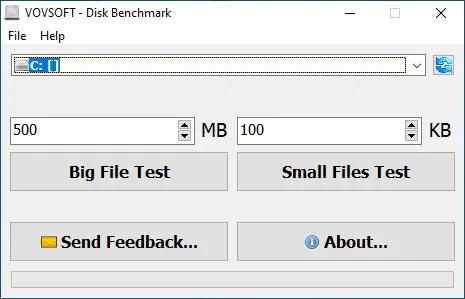
Whether you want to get information about the health of your hard disks or check their specifications match, a benchmarking tool can do the trick. Vovsoft Disk Benchmark provides a means of assessing the performance of hard disks by running a benchmark test to find a drive’s rotation speed. In an attempt to keep things as simple as possible, Vovsoft Disk Benchmark features a minimalistic interface that only allows you to select the drive you want to analyze from a dropdown list and start the test with the click of a button.

The application supports NTFS, FAT32 and FAT16 file system types, local hard drives, external hard drives, SSD drives, SD/MMC memory cards and USB flash disks. The progress bar shows you an estimate of the remaining time. It usually doesn’t take long before the result of the benchmark test is shown on the screen, in a separate window. The speed is revealed in MB/s.
(more…)

Maxprog FTP Disk 1.5.5 (x64) Multilingual

Maxprog FTP Disk 1.5.5 (x64) Multilingual | Size: 123.08 MB
Language: English

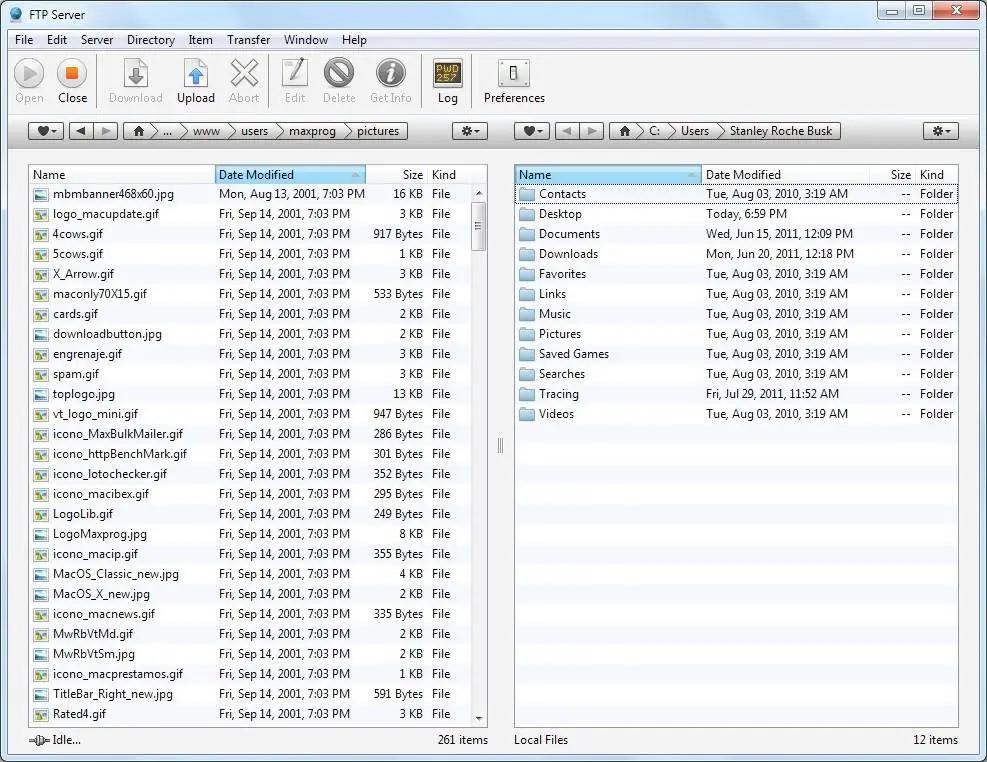
In order to maintain your Web site you surely need some kind of FTP software however not all the FTP tools available today seem to be designed with frequent uploading in mind. Indeed, they are not always as handy as they could or should be. Actually, they all seem to copy each others. Updating files on your server can be a repetitive and boring process, and in many cases it’s more trouble than it’s worth. It doesn’t have to be that way, however, as FTP Disk makes this whole process much more intuitive.

With FTP Disk just drag and drop your files directly on a server in the list to get them uploaded to the selected path. You can create as many servers as you need with different paths and initiate several uploads at the same time. Of course you can also log into servers as usual, navigate thru directories, create files and folders, download and upload files, modify text files with the built-in editor, preview pictures and change permissions. FTP Disk not only offers a very handy and easy-to-use interface for managing servers, indeed it is also very easy to navigate thru directories. Thanks to the directory bar, a visual and interactive control that displays your current location, you can move to other directories with a single click of your mouse. You can create favorite locations and jump to them at any time. Those favorites are available from the server panel so you can go directly to a directory when connecting to a server or upload files to it! FTP Disk is also available in German, French, Spanish, Italian, Dutch, Portuguese, Swedish, Russian, Japanese, Chinese and Korean.
(more…)

Disk Drill Enterprise 6.3.1398.0 Multilingual

Disk Drill Enterprise 6.3.1398.0 Multilingual | Size: 64.28 MB
Language: English

From high-level business to home relaxation, modern life revolves around data. We all know that sinking feeling of a missing file. Fortunately Disk Drill is here to help with advanced file recovery software on all of your connected devices and files. Download Disk Drill, click “Recover” and watch as your day gets better.

Platform Independent
Disk Drill is powered by multiple data recovery algorithms that read NTFS, FAT32, EXT, HFS+ and many other file systems. Even obscure file types are accessible using our software.

Fixed & Mobile Storage
Recover your lost data on system disks and external devices, including all types of memory cards and USB drives. If you can connect it to your computer, Disk Drill can find your lost data.

Quick and Simple
Disk Drill tells you if your files can be recovered for free. Just a few files deleted? 500MB of free data recovery on us!
(more…)

Hasleo Disk Clone Enterprise 5.8.2.1 Multilingual WinPE

Hasleo Disk Clone Enterprise 5.8.2.1 Multilingual WinPE | Size: 726.81 MB
Language: English

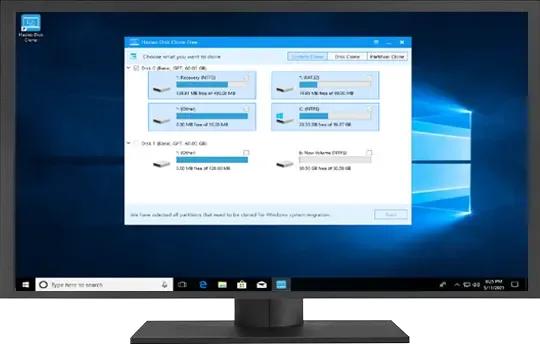
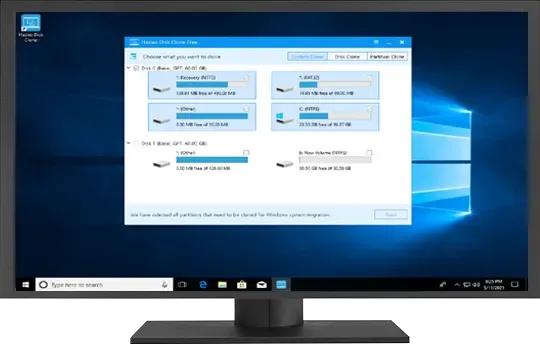
Hasleo Disk Clone is a free and all-in-one disk cloning software for Windows 11/10/8/7/Vista and Windows Server, which allows you to migrate Windows OS to another disk, clone disks or clone one partition to another location quickly and efficiently. Hasleo Disk Clone natively supports Windows ARM64, improving performance and reducing energy consumption on ARM64-based systems.

Hasleo Disk Clone is professional Windows cloning software providing multiple disk alignment modes, sector-by-sector cloning of disks and partitions, flexible partition adjustment (location/size on the destination disk), and MBR/GPT disks conversion during cloning (MBR to GPT or GPT to MBR). Additionally, you can create a bootable WinPE emergency disk to migrate disks or partitions.

Migrate Windows from one disk to another without reinstalling the OS, or apps.
Clone one disk to another and ensure identical data content on both disks.
Clone a partition to another location without any data loss.
Adjust the size and location of the destination partitions easily.Improved
Convert MBR to GPT or convert GPT to MBR by cloning.
Extremely cloning speeds (Intelligent sector copy technology and Delta clone technology).
Creation of Windows PE emergency disk, and multi-language support.Improved
Windows Vista/Server 2008 or later runs on X86/X64/ARM64 processors.
(more…)

Disk Savvy 18.2.36

Disk Savvy 18.2.36 | Size: 78.7 MB
Language: English

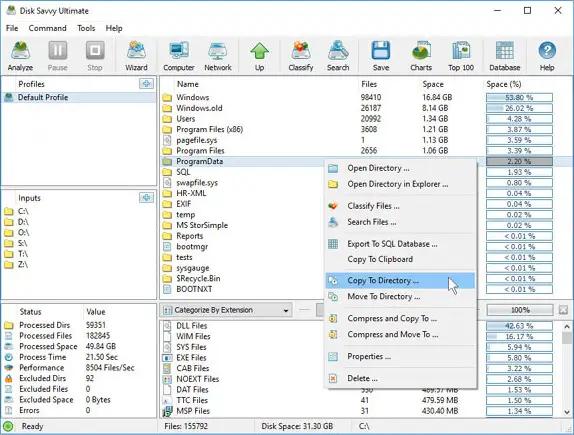
Disk Savvy is a disk space usage analyzer capable of analyzing disks, network shares, NAS devices and enterprise storage systems. Users are provided with multiple disk usage analysis and file classification capabilities allowing one to gain an in-depth visibility into how the disk space is used, save reports and perform file management operations.

DiskSavvy Main GUI Application
The DiskSavvy main GUI application provides the user with the ability to analyze one or more disks, directories, network shares or NAS storage devices, categorize and filter disk space analysis results, save disk space analysis reports to the HTML, PDF, Excel, XML, text or CSV formats, perform file management operations and much more.

Disk Space Analysis Profile Dialog
The disk space analysis profile dialog allows one to specify disks, directories and/or network shares to analyze and provides the ability to configure advanced disk space analysis options.
(more…)

SoftPerfect RAM Disk 26.6 Multilingual

SoftPerfect RAM Disk 26.6 Multilingual | Size: 7.79 MB
Language: English

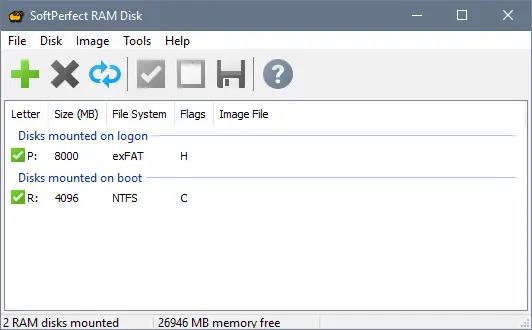
SoftPerfect RAM Disk is a high-performance RAM disk application that lets you have a disk on your computer entirely stored in its memory. As the memory is much faster than physical hard disks, storing temporary data on a fast in-memory disk achieves a higher performance. Whatever your job is, read on to find out what a RAM disk can offer you.

SoftPerfect RAM Disk creates a virtual disk residing in the computer RAM accessible in Windows Explorer and other applications, allowing you to store any temporary information on this disk. Furthermore, Windows can be configured to use the RAM disk for temporary files, so that the system and most applications would use the fast in-memory disk for their temporary data. As Windows and other third-party applications often create a large number of temporary files for a short time only, using a RAM disk will extend your hard disk’s life by sparing it from excessive reading and writing.
(more…)

GiliSoft Private Disk 11.7

GiliSoft Private Disk 11.7 | Size: 15.1 MB
Language: English

GiliSoft Private Disk protects information with the strongest encryption algorithm known today – AES 256-bit. Besides offering state-of-the-art, trustworthy and reliable AES 256-bit NIST certified encryption, GiliSoft Private Disk provides additional protection for your confidential information by employing its innovative Disk Image Hide method. The Disk Image Hide protects your data by application, ensuring that no viruses, trojans, spyware or any other malware will harm or steal your valuable information. It also protects data on USB flash drives – you can work with the encrypted files on any computer without installing the software locally.

Encrypt files with AES 256-bit
AES 256-bit encryption is the most secure symmetric encryption algorithm available today, chosen as a state standard due to its strength and efficiency.
(more…)

ATTO Disk Benchmark 5.00.3

ATTO Disk Benchmark 5.00.3 | Size: 2.55 MB
Language: English

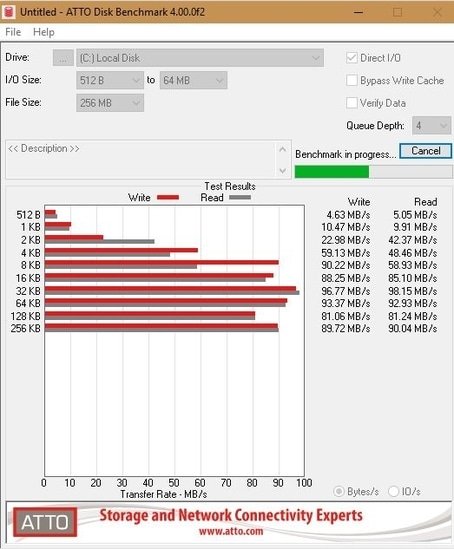
The ATTO Disk Benchmark application was designed to measure your storage systems performance with transfer sizes and test lengths for reads and write speeds.Several options are available to customize your performance measurement including queue depth, overlapped I/O and even a comparison mode with the option to run continuously. You can test any manufacturers RAID controllers, storage controllers, host adapters, hard drives and SSD drives.

ATTO Disk Benchmark Features
Transfer sizes from 512KB to 8MB
Transfer lengths from 64KB to 2GB
Support for overlapped I/O
Supports a variety of queue depths
I/O comparisons with various test patterns
Timed mode allows continuous testing
Non-destructive performance measurement on formatted drives
(more…)

Hasleo Disk Clone 5.8.2.1 Multilingual

Hasleo Disk Clone 5.8.2.1 Multilingual | Size: 32.72 MB
Language: English

Hasleo Disk Clone is a free and all-in-one disk cloning software for Windows 11/10/8/7/Vista and Windows Server, which allows you to migrate Windows OS to another disk, clone disks or clone one partition to another location quickly and efficiently. Hasleo Disk Clone natively supports Windows ARM64, improving performance and reducing energy consumption on ARM64-based systems.

Hasleo Disk Clone is professional Windows cloning software providing multiple disk alignment modes, sector-by-sector cloning of disks and partitions, flexible partition adjustment (location/size on the destination disk), and MBR/GPT disks conversion during cloning (MBR to GPT or GPT to MBR). Additionally, you can create a bootable WinPE emergency disk to migrate disks or partitions.
(more…)